In-Kind Technology Grants for Nonprofits
How to unlock free software and tools from companies like Google, Microsoft, Canva, and Atlassian.
Key takeaways
Switch between Plain English (essentials, no jargon) and Technical (specs, code, implementation) using the toggle above.
- Get verified first: Most programs (Google, Canva, etc.) use Goodstack to verify your nonprofit status. Register there before applying to individual grants. Goodstack flow: Register at causes.goodstack.io/claim. Provide registry ID + proof (501(c)(3) letter, etc.). Verification typically 2–14 days. Goodstack feeds into Google for Nonprofits, Canva, and others.
- Documents you’ll need: Your official nonprofit registration, a document that proves your status (like a 501(c)(3) letter), and sometimes your website or mission statement. Verification assets: Charitable registration certificate, 501(c)(3) determination letter (US), or equivalent. JPG/PNG/PDF up to 5MB. Have website URL, org name, and registry details ready. Some programs require mission/impact description.
- Start with the big ones: Google and Microsoft offer the highest value. Canva is quick to apply for. Tackle these first, then expand. Priority order: Google for Nonprofits (Workspace, Ad Grants, YouTube) and Microsoft 365 Nonprofit first. Canva for Nonprofits is fast. Atlassian, TechSoup bundles, and Salesforce follow. Aggregate value can exceed $200K/year at commercial pricing.
- Eligibility isn’t universal: Most require charitable registration, independence from government, and no commercial profit. Use our eligibility checker to confirm before applying. Eligibility criteria: Registered charitable nonprofit; independent from government; not-for-profit. Goodstack country list varies. Exclusions: Crimea, Cuba, Iran, North Korea, Sudan, Syria. Check goodstack.org/nonprofit-definitions for your jurisdiction.
What are in-kind technology grants?
In-kind technology grants are programs offered by major technology companies that provide their products and services to eligible nonprofit organizations for free or at steep discounts. Unlike traditional cash grants, these programs give you direct access to software, cloud services, advertising credits, and tools.
These grants are a game changer. At Oasis of Change, we have helped nonprofits secure over $865,000 in in-kind technology grants based on the maximum eligible value of the programs listed. If a youth-led organization can navigate these programs, any nonprofit can.
The combined value of available in-kind grants can easily exceed $200,000 per year for a single organization based on the maximum eligible value at commercial pricing. Here is what is available.
Does your organization qualify? Use our interactive eligibility checker to see if you’re likely eligible for Google, Canva, Microsoft, Atlassian, and other in-kind programs: then come back here to get verified and apply.
How verification works: Goodstack
Most tech companies use third-party verification platforms to confirm your nonprofit status before granting access to their programs. The two main platforms are:
Goodstack (formerly Powered by Percent)
Goodstack (formerly known as Percent) is the verification and certification platform used by many major companies. When you apply for programs like Google for Nonprofits and Canva for Nonprofits, Goodstack is typically the entity that verifies your charitable status. Getting your organization into Goodstack’s system is how you become recognized by those companies and unlock in-kind grants.
Country eligibility: Which countries are allowed and what registration types they accept is set by Goodstack. See the official list and nonprofit definitions (searchable by country) at goodstack.org/nonprofit-definitions. Goodstack does not currently accept applications from Crimea, Cuba, Iran, North Korea, Sudan, or Syria.
To get verified:
- Go to causes.goodstack.io/claim (or use the link from the tech company’s nonprofit page, which often leads to the same flow).
- If your organization is already in Goodstack’s system, you can claim it. If it’s new or not yet recognized, you’ll need to create your organization in their system. That’s a bit more work, but it’s how you register your nonprofit with Goodstack so that Google, Canva, and others can recognize you and grant you in-kind benefits.
- If your nonprofit isn’t on their website, Goodstack will ask you to enter information so they can review your organization’s legitimacy and your official connection to it. You’ll typically provide: your organization’s country; legal name; website; registry and Registry ID (or select “Can’t find my organization’s registry” if needed); and a document that proves you’re registered (e.g. 501(c)(3) letter, charitable registration certificate: usually a JPG, PNG, or PDF up to 5 MB).
- Verification typically takes 2 to 14 business days[25]. Once verified, your status is recognized across all companies that use Goodstack.
TechSoup
TechSoup is another major verification and distribution platform, particularly for Microsoft products and on-premises software. In Canada especially, TechSoup Canada (techsoupcanada.ca) is an important gateway.
Important: You do NOT need to pay Goodstack or TechSoup for setup services. These platforms will verify you for free. They may try to upsell you on services like setting up Google Workspace or configuring your accounts. You do not need to purchase these services. The verification itself costs nothing.
Google for Nonprofits
Google for Nonprofits is one of the most valuable programs available. It provides a suite of free tools.
Google Ad Grants
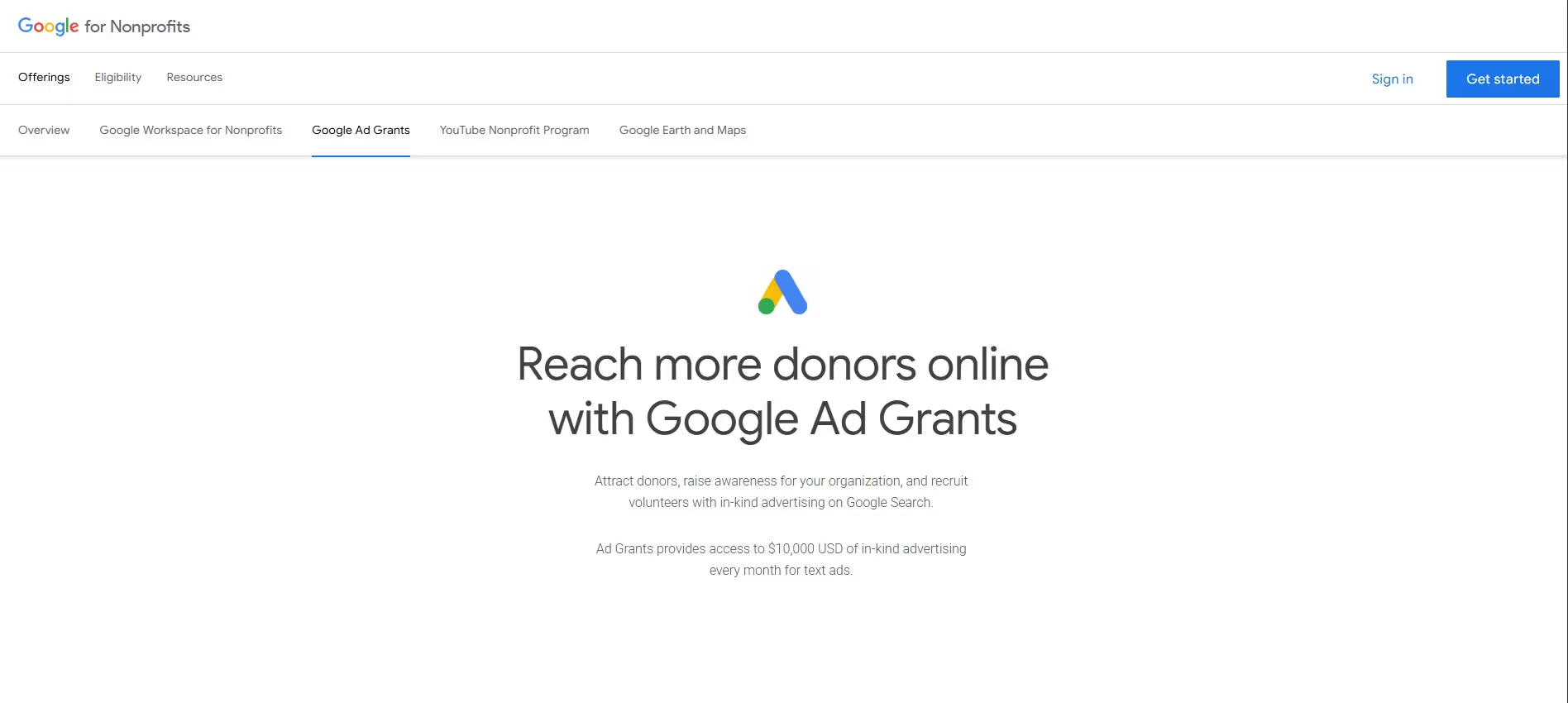
Google provides eligible nonprofits with up to $10,000 per month (up to $120,000 per year) in free Google Search advertising credits. Your ads appear when people search for terms related to your mission. Since its launch in 2003, the program has distributed over $10 billion in free advertising to more than 115,000 nonprofit organizations across 51 countries.[19]
Deep dive: We've created a comprehensive standalone guide covering everything about Google Ad Grants — eligibility, application, compliance, and management. Read the full Google Ad Grants guide →
What you can use it for:
- Drive donations and fundraising
- Recruit volunteers
- Promote programs and events
- Raise awareness about your cause
- Direct people to your services
Eligibility requirements:
- Must be a registered nonprofit (501(c)(3) in the US, or equivalent in your country)
- Must be verified by Goodstack
- Cannot be a government entity, hospital, healthcare organization, school, academic institution, or university
- Must have a website with substantial, quality content
- Must agree to Google's terms of service
How to apply:
- Go to google.com/nonprofits and click “Get Started”
- Complete the Goodstack verification process (2 to 14 business days)
- Once verified, log into your Google for Nonprofits dashboard
- Activate Google Ad Grants from the available products
- Complete the Ad Grants questionnaire about your goals and capacity
- Set up a Google Ads account (use a dedicated organizational email, not a personal one)
- Create your first campaigns following Google's guidelines
Compliance rules to maintain your grant:
- Maintain a minimum 5% click-through rate (CTR) across your account each month
- Do not use single-word keywords (with some exceptions like brand names)
- Do not use overly generic keywords
- Set up valid conversion tracking
- Log into your account at least once per month
- Make sure your website meets Google's quality guidelines
- Use geo-targeting appropriate to your service area
- Include at least 2 ad groups per campaign, each with at least 2 active ads
- Add at least 2 sitelink ad extensions
Pro tip: Create a dedicated organizational Google account (like grants@yournonprofit.org) rather than using a personal staff member's Gmail. This prevents access problems when staff members leave.
Google Workspace for Nonprofits
Includes Gmail with your organization's domain, Google Drive with shared drives, Google Docs, Sheets, Slides, Meet, Calendar, and more. The nonprofit plan includes 100 TB of pooled cloud storage, which is a massive amount of storage for any organization.
YouTube Nonprofit Program
Access special features for nonprofits on YouTube, including donation cards that let viewers donate directly to your organization through your videos, and Link Anywhere cards that direct viewers to your website.
Google Earth and Maps
Access to Google Earth Pro and special features for telling your organization's story with geographic data.
Microsoft for Nonprofits
Microsoft offers a range of technology grants and deep discounts to eligible nonprofits.
What is currently available (as of early 2026)
Microsoft 365 Business Basic, FREE for up to 300 users[20]
Includes web and mobile versions of Outlook, Teams, Word, Excel, PowerPoint, OneDrive (1TB per user), SharePoint, and more. This is the core of Microsoft's nonprofit offering and it is completely free.
Important 2025 Update: As of July 2025, Microsoft discontinued its free grants for Microsoft 365 Business Premium and Office 365 E1.[23] However, Microsoft 365 Business Basic remains free for up to 300 users. Business Premium and E1 are now available at approximately 75% off commercial pricing (around $6.60 per user per month for Business Premium, $2.50 per user per month for E1 at nonprofit discounted rates).
Other Microsoft nonprofit offers:
- Azure credits: Cloud computing credits for eligible nonprofits
- Dynamics 365: Discounted CRM and business management tools
- Microsoft 365 Business Standard: Available at nonprofit discounted pricing (approximately $3.60 per user per month through TechSoup)
- Windows 11 Professional: Up to 50 free licenses through TechSoup
- Power BI: Data analytics and visualization (included with Business Basic)
How to apply
- Go to nonprofit.microsoft.com
- Click “Get Started” or “Register”
- Verify your nonprofit status (Microsoft uses its own verification process, which can take up to 10 business days)
- Once approved, access your nonprofit dashboard to activate available offers
Key things to know
- Microsoft grants are for paid employees and unpaid executive staff only
- Discounted licenses are available for all staff and volunteers
- You must maintain at least 85% utilization of granted licenses (remove unused ones)
- Organizations cannot share licenses with partner or sister organizations
- Microsoft provides up to 75% discounts on core products and up to 60% on premium products[20]
Note: Microsoft ended its Ads for Social Impact (Bing Ads) grant program in December 2025.[24] Free advertising grants are no longer available through Microsoft's advertising platform. Nonprofits that still have active campaigns should pause them to avoid being automatically charged.
Canva for Nonprofits
Canva for Nonprofits provides free access to Canva Pro[21], the premium version of the popular design platform, for eligible nonprofit organizations.
What you get
- Full access to Canva Pro features for one team of up to 50 users
- Access to over 75 million premium stock photos, videos, and audio
- Over 420,000 professional templates for social media, presentations, flyers, reports, and more
- Brand Kit to store your logos, colors, and fonts for consistent branding
- Magic Resize to instantly resize designs for different platforms
- Background Remover
- Content Planner to schedule social media posts directly from Canva
- Video editing tools
- Canva Print for designing and ordering printed materials
- Canva Websites for building simple websites from templates
- Real-time team collaboration tools
- Affinity creative suite (professional photo editing, layout, and illustration)
How to apply
- Create a free Canva account at canva.com (use an organizational email)
- Go to canva.com/canva-for-nonprofits or canva.com/nfp-signup
- Select “Get Started”
- Choose “Registered nonprofit organization”
- Select your country
- Search for your organization using your nonprofit ID number (9-digit EIN in the US)
- Enter your name and email
- Submit the application
- Canva verifies through Goodstack. Review takes 7 to 10 days.
- Once approved, you will receive email confirmation and your account is upgraded
Eligibility
- Must be officially registered as a charitable nonprofit in your country
- Must be independent from government
- Must operate on a not-for-profit basis
- Must exist for public benefit
- Ineligible: political organizations, government entities, K-12 schools, universities, professional sports teams, trade associations
Atlassian for Nonprofits
Eligible organizations can receive Standard or Premium 100% off up to 25 seats, billed annually. Atlassian (makers of Jira, Confluence, Loom, and Trello) delivers this offer through GoodStack: the same verification partner used for Google and Canva for Nonprofits.
Can I get Atlassian apps for free?
Yes. All Atlassian apps have a free forever tier with limited feature sets. Beyond that, with your Social Impact License you can get access to:
- Jira Standard or Premium: 100% off
- Confluence Standard or Premium: 100% off
- Loom Business or Business + AI: 100% off
- Teamwork Collection Standard or Premium: 100% off
…for free up to 25 seats, billed annually.
Is the 100% off discount available on monthly plans?
No. The 100% off discount on Jira, Loom, Confluence, and Teamwork Collection is only available on annual plans up to 25 seats.
If you are an existing customer billed monthly and want to access these tools at 100% off, you will need to change your billing to annual. Marketplace apps attached to the above products will also be billed annually.
To switch to annual billing:
- Visit admin.atlassian.com
- Go to Billing
- Find subscriptions for Jira, Confluence, and Loom and click Manage
- Select Change Plan
- If you need assistance, Contact Support and select “Quotes and plan changes”
Once you’ve changed your subscription to be billed annually, the 100% off discount will be applied on your next renewal.
Important details
- You must be a verified social impact customer with Atlassian (via GoodStack)
- You must have 25 seats or fewer
- You must be on annual billing (not monthly)
- Marketplace apps attached to these products will also be billed annually
- The free “Community Licenses” have been renamed “Social Impact Licenses”
- If you purchased for the first time after February 4, 2026, you may be eligible to request a refund
What these tools do
- Jira: Plan, track, and manage projects and tasks. Useful for tracking programs, campaigns, events, and any team workflows.
- Confluence: A collaborative workspace for creating, sharing, and organizing documentation, meeting notes, project plans, and knowledge bases.
- Loom: Record and share video messages. Great for asynchronous communication, onboarding, training, and updates.
TechSoup
TechSoup is a nonprofit that connects other nonprofits with discounted and donated technology products from companies including Microsoft, Adobe, Intuit, Symantec, and others.
What you can get through TechSoup
- Discounted licenses for Adobe Acrobat, Photoshop, Creative Cloud, and other Adobe products
- Microsoft on-premises software (Windows, Office, Project, Visio)
- Intuit QuickBooks at reduced pricing
- Hardware refurbishment programs
- Various other software discounts
How to apply
- Visit techsoup.org (or techsoupcanada.ca for Canadian organizations)
- Register your organization
- Provide your charitable registration documentation
- Once verified, browse and request available products
Important notes
- TechSoup itself is free to register with
- Some products have administrative fees (typically $10 to $50 per product), but these are far less than commercial pricing
- TechSoup may offer paid setup services. These are optional. You do not need to pay for them.
- Canadian nonprofits should definitely get recognized by TechSoup Canada for access to additional offers specific to the Canadian market
Other notable nonprofit technology programs
- Zoom for Nonprofits: Zoom offers discounted licensing for eligible nonprofits, typically 50% off standard pricing. Check zoom.us/nonprofits for current offers.
- Slack for Nonprofits: Slack offers an 85% discount on the Business+ plan for eligible nonprofits. Apply through Slack's website or contact their nonprofit team.
- HubSpot for Nonprofits: HubSpot offers up to 40% off its CRM, marketing, sales, and service tools for eligible nonprofits. Visit hubspot.com/nonprofits.
- Salesforce for Nonprofits (Power of Us): Salesforce donates 10 free licenses of its Nonprofit Cloud to eligible organizations. This is a powerful CRM for managing donors, volunteers, and programs. Visit salesforce.org.
- 1Password for Nonprofits: 1Password offers free team accounts for nonprofits, helping secure your organization's passwords and sensitive credentials.
- Notion for Nonprofits: Notion offers discounted or free plans for nonprofits for workspace and project management.
Note: Availability and pricing for all programs listed in this section are subject to change. Always visit the official program page for the most up-to-date information.
How much is all of this worth?
Here is a summary of what a single nonprofit could potentially unlock, based on the maximum eligible value of each program at commercial pricing equivalents:
| Program | Maximum Eligible Annual Value* |
|---|---|
| Google Ad Grants (up to $10,000/month in search ads) | Up to $120,000 |
| Google Workspace (100TB pooled storage, up to 300 users) | $8,400+ equivalent |
| Microsoft 365 Business Basic (up to 300 users) | $21,600+ equivalent |
| Canva Pro (up to 50 users) | $7,100 CAD equivalent |
| Atlassian Suite (up to 25 users, Jira + Confluence + Loom) | $15,000+ equivalent |
| Additional tools (Slack, Zoom, Salesforce, etc.) | $5,000+ equivalent |
| Total maximum eligible value | $177,100+ |
For details on how these figures are calculated, see Disclaimers.
Quick-start checklist: getting your in-kind grants
Use this checklist to systematically unlock your in-kind technology grants:
- Gather your documents: Have your nonprofit registration documents ready (501(c)(3) letter, charitable registration certificate, or equivalent)
- Get verified with Goodstack: This single verification unlocks Google, Canva, and other programs
- Register with TechSoup: Unlocks Microsoft, Adobe, and other offers
- Apply for Google for Nonprofits: google.com/nonprofits
- Activate Google Ad Grants: Follow the setup guide and compliance rules
- Set up Google Workspace: Connect your domain for professional email and cloud storage
- Apply for Microsoft for Nonprofits: nonprofit.microsoft.com
- Activate Microsoft 365 Business Basic: Free for up to 300 users
- Apply for Canva for Nonprofits: canva.com/canva-for-nonprofits
- Register with Atlassian for nonprofits: Access Jira, Confluence, and Loom at no cost
- Browse TechSoup for additional offers: Adobe, Intuit, and more
- Set a calendar reminder: Review your grants quarterly to stay compliant and discover new offers
Tips from experience
Start with Google for Nonprofits. The Ad Grants program alone (up to $120,000 per year in eligible ad credits) makes this the highest-value first step. Plus, Google Workspace eliminates the need to pay for email and cloud storage.
Use organizational emails. Always register for these programs using an email at your organization's domain (info@yournonprofit.org), not a personal Gmail or Hotmail address. This prevents access problems when staff leave and looks more professional during verification.
Do not pay for setup. Platforms like Goodstack and TechSoup may offer paid setup or consulting services. These are optional. You can configure everything yourself using the guides in this platform. If a teenager can do it, you can do it.
Keep records. Save all confirmation emails, agreement documents, and login credentials in a secure, shared location (like a 1Password team vault or a Google Drive folder with restricted access).
Assign a grants manager. Designate one person (or a small team) to manage your technology grants. They should log into each account at least monthly, make sure you stay compliant, and watch for new offers or policy changes.
Plan for staff transitions. When the person managing these accounts leaves your organization, make sure credentials and access are transferred. Use organizational email addresses and shared password managers to prevent lockout.
Sources
[19] Google Ad Grants. google.com/grants. Provides eligible nonprofits with up to $10,000 USD per month in Search ads. Program has distributed over $10 billion since 2003 to 115,000+ nonprofits.
[20] Microsoft for Nonprofits. nonprofit.microsoft.com. Up to 300 free licenses of Microsoft 365 Business Basic. Discounts of up to 75% on other Microsoft 365 plans.
[21] Canva for Nonprofits. canva.com/canva-for-nonprofits. Free access to Canva Pro for one team of up to 50 users.
[22] Atlassian, “Announcing 100% off Atlassian's Teamwork Collection for Social Impact Teams,” February 25, 2026. atlassian.com/blog/announcements/new-nonprofit-discounts. 100% off annual subscriptions for social impact teams with 25 seats or fewer on Jira, Confluence, Loom, and Teamwork Collection.
[23] Pax8, “Microsoft 365 Licensing Changes for Nonprofits,” June 2025. pax8.com. Microsoft discontinued free grants for Business Premium and Office 365 E1 as of July 1, 2025. Business Basic remains free for up to 300 users.
[24] Search Engine Land, “Microsoft to end nonprofit ad grant program in December,” October 2025. searchengineland.com. Microsoft ended its Ads for Social Impact program in December 2025.
[25] HawkSEM, “Google Ad Grants for Nonprofits,” December 2025. hawksem.com. Google’s partner Goodstack (formerly Percent) handles verification, which can take 2 to 14 days.
That's it!
You have reached the end of the Web-Ready Access Platform playbook. You now have a complete guide to digital sustainability, web accessibility, and in-kind technology grants for your nonprofit.
Remember: you do not need to tackle everything at once. Pick one track, start with the easiest wins, and build from there.
Back to overview